
1 / 4
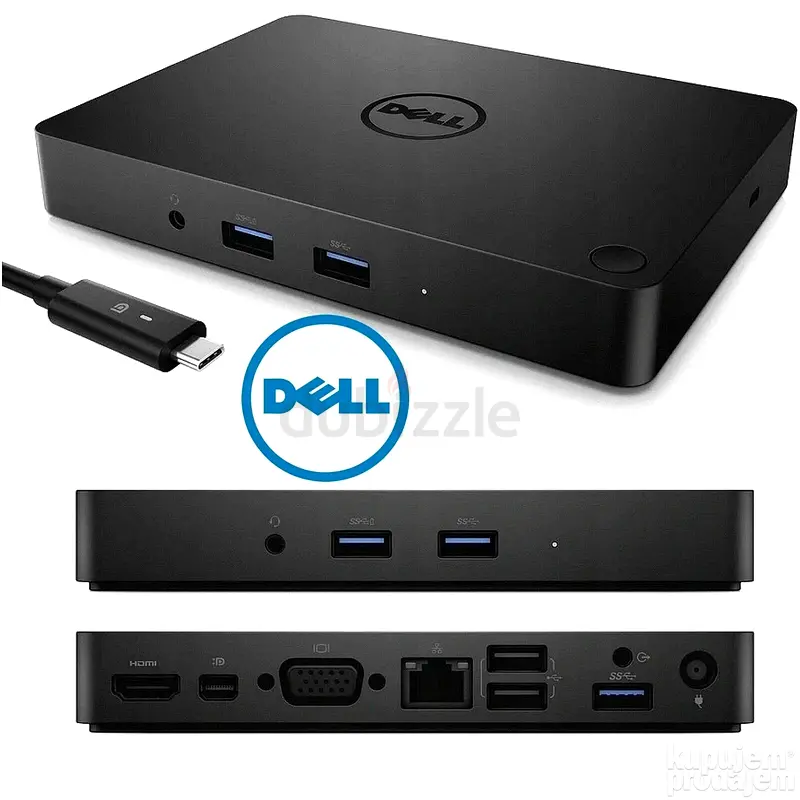
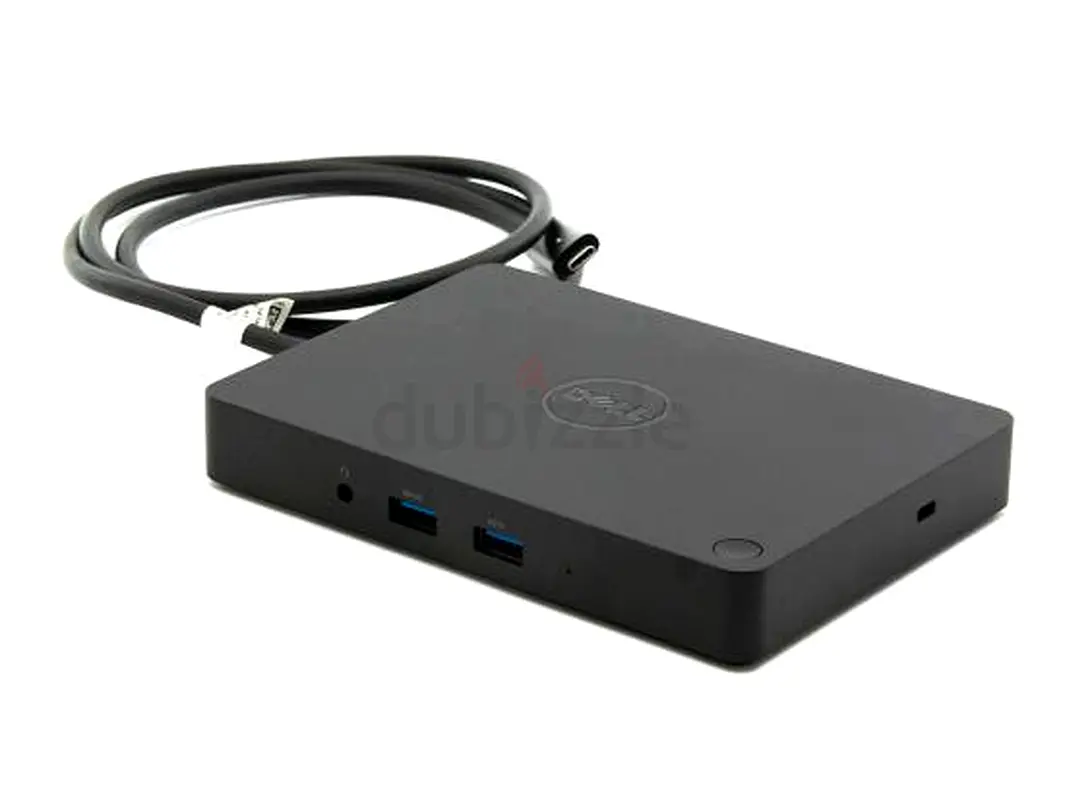
Extremely Reduced•Dell WD15 Universal Dock•Type C Connectivity•Triple Display•1 Support 4k Docking •
AED 150

Item Details
Brand
Dell
Age
6-12 months
Condition
Perfect inside and out
Warranty
Yes
Model name
WD15
Usage
Used only a few times
Posted on: 25th April 2026
Description
More information :
Dell WD15 Docking Station Universal
Up to 3840 x 2160 Video Resolution
Triple Display Support
3 x USB 3.0/3.1 Gen 1 Type-A Ports
2 x USB 2.0 Type-A Ports
VGA | HDMI | Mini DisplayPort
Two Audio Jacks
Gigabit Ethernet
Kensington Lock Slot
Compatible with Linux and Windows
180W Adapter and Two Cables Included
Features
The Dell WD15 Business Dock with 180W Adapter provides a common docking experience for both Dell and non-Dell platforms via DisplayPort over USB Type-C to ensure a reliable connection and crisp display. It can support video output to one display up to UHD 4K, two displays up to 1080p, or three displays up to SXGA through VGA, HDMI, and Mini DisplayPort. You can also access printers, external storage drives, monitors, and other useful devices thanks to its three USB 3.0/3.1 Gen 1 Type-A ports and two USB 2.0 Type-A ports.
There's also a Gigabit Ethernet port for creating a reliable wired connection to a network. To complete the multimedia experience, two audio jacks are on board. Additionally, this dock provides a Kensington lock slot, which lets you attach an optional security cable for preventing theft. It's compatible with Linux and Windows operating systems. Dell includes a 180W power adapter, DisplayPort over USB Type-C cable, and a 2.7' Mini DisplayPort to DisplayPort cable.
A third display can be connected with the VGA port, however, the image will be in clone mode. The dock does not support wired vPro. If vPro is needed, then the system host Ethernet port may be used or Wi-FI vPro within the system. The dock has the capability to pass-through the system MAC address to the network for Dell systems only.
Single Cable Connectivity
Featuring a powerful DisplayPort over USB Type-C cable, this dock can quickly connect your laptop or tablet to a single data and power source up to 180W for Dell devices and 60W for non-Dell devices. You'll also enjoy a reliable connection from your laptop or tablet to dual FHD displays or a single 4K display at 30 Hz, and all your essential peripherals.
Small Footprint and Big Flexibility
The Dell Business Dock is small in size, measuring at 6.1 x 4.3 x 0.8". It has one single cable and you can place it anywhere you want in your designated workspace.
One Dock for All
This dock is compatible with select Dell laptops, workstations, tablets, and many compatible non-Dell devices with USB Type-C ports. Transfer data, output video, power devices, and connect to peripherals with the Dell Business Dock from your compatible system.
Connect for Collaboration
Grab your laptop and head to the next meeting where you and your coworkers will be able to quickly connect to the Dell Dock and share your latest projects and presentations through a connected display or projector.
Enhanced Video Performance
Reversible USB Type-C connectivity is designed to be reliable for video performance, so your display will be crisp and clear.
Resolution Support
USB Type-C Cable
Up to 10.8 Gb of DisplayPort bandwidth (x2 DisplayPort lanes)
Single Display (Maximum Resolution)
Mini DisplayPort or HDMI: 4K and 2K at 30 Hz
VGA: 1920 x 1200 at 60 Hz
Dual Display (Maximum Resolution)
Full HD or WUXGA: 1920 x 1200 at 60 Hz
Triple Display (Maximum Resolution)
SXGA: 1280 x 1024 at 60 Hz
To use a third external monitor, the notebook's display must be disabled.
Connect for Collaboration
Grab your laptop and head to the next meeting where you and your coworkers will be able to quickly connect to the Dell Dock and share your latest projects and presentations through a connected display or projector.
Enhanced Video Performance
Reversible USB Type-C connectivity is designed to be reliable for video performance, so your display will be crisp and clear.
Resolution Support
USB Type-C Cable
Up to 10.8 Gb of DisplayPort bandwidth (x2 DisplayPort lanes)
Single Display (Maximum Resolution)
Mini DisplayPort or HDMI: 4K and 2K at 30 Hz
VGA: 1920 x 1200 at 60 Hz
Dual Display (Maximum Resolution)
Full HD or WUXGA: 1920 x 1200 at 60 Hz
Triple Display (Maximum Resolution)
SXGA: 1280 x 1024 at 60 Hz
To use a third external monitor, the notebook's display must be disabled.
Dell WD15 Docking Station Universal
Up to 3840 x 2160 Video Resolution
Triple Display Support
3 x USB 3.0/3.1 Gen 1 Type-A Ports
2 x USB 2.0 Type-A Ports
VGA | HDMI | Mini DisplayPort
Two Audio Jacks
Gigabit Ethernet
Kensington Lock Slot
Compatible with Linux and Windows
180W Adapter and Two Cables Included
Features
The Dell WD15 Business Dock with 180W Adapter provides a common docking experience for both Dell and non-Dell platforms via DisplayPort over USB Type-C to ensure a reliable connection and crisp display. It can support video output to one display up to UHD 4K, two displays up to 1080p, or three displays up to SXGA through VGA, HDMI, and Mini DisplayPort. You can also access printers, external storage drives, monitors, and other useful devices thanks to its three USB 3.0/3.1 Gen 1 Type-A ports and two USB 2.0 Type-A ports.
There's also a Gigabit Ethernet port for creating a reliable wired connection to a network. To complete the multimedia experience, two audio jacks are on board. Additionally, this dock provides a Kensington lock slot, which lets you attach an optional security cable for preventing theft. It's compatible with Linux and Windows operating systems. Dell includes a 180W power adapter, DisplayPort over USB Type-C cable, and a 2.7' Mini DisplayPort to DisplayPort cable.
A third display can be connected with the VGA port, however, the image will be in clone mode. The dock does not support wired vPro. If vPro is needed, then the system host Ethernet port may be used or Wi-FI vPro within the system. The dock has the capability to pass-through the system MAC address to the network for Dell systems only.
Single Cable Connectivity
Featuring a powerful DisplayPort over USB Type-C cable, this dock can quickly connect your laptop or tablet to a single data and power source up to 180W for Dell devices and 60W for non-Dell devices. You'll also enjoy a reliable connection from your laptop or tablet to dual FHD displays or a single 4K display at 30 Hz, and all your essential peripherals.
Small Footprint and Big Flexibility
The Dell Business Dock is small in size, measuring at 6.1 x 4.3 x 0.8". It has one single cable and you can place it anywhere you want in your designated workspace.
One Dock for All
This dock is compatible with select Dell laptops, workstations, tablets, and many compatible non-Dell devices with USB Type-C ports. Transfer data, output video, power devices, and connect to peripherals with the Dell Business Dock from your compatible system.
Connect for Collaboration
Grab your laptop and head to the next meeting where you and your coworkers will be able to quickly connect to the Dell Dock and share your latest projects and presentations through a connected display or projector.
Enhanced Video Performance
Reversible USB Type-C connectivity is designed to be reliable for video performance, so your display will be crisp and clear.
Resolution Support
USB Type-C Cable
Up to 10.8 Gb of DisplayPort bandwidth (x2 DisplayPort lanes)
Single Display (Maximum Resolution)
Mini DisplayPort or HDMI: 4K and 2K at 30 Hz
VGA: 1920 x 1200 at 60 Hz
Dual Display (Maximum Resolution)
Full HD or WUXGA: 1920 x 1200 at 60 Hz
Triple Display (Maximum Resolution)
SXGA: 1280 x 1024 at 60 Hz
To use a third external monitor, the notebook's display must be disabled.
Connect for Collaboration
Grab your laptop and head to the next meeting where you and your coworkers will be able to quickly connect to the Dell Dock and share your latest projects and presentations through a connected display or projector.
Enhanced Video Performance
Reversible USB Type-C connectivity is designed to be reliable for video performance, so your display will be crisp and clear.
Resolution Support
USB Type-C Cable
Up to 10.8 Gb of DisplayPort bandwidth (x2 DisplayPort lanes)
Single Display (Maximum Resolution)
Mini DisplayPort or HDMI: 4K and 2K at 30 Hz
VGA: 1920 x 1200 at 60 Hz
Dual Display (Maximum Resolution)
Full HD or WUXGA: 1920 x 1200 at 60 Hz
Triple Display (Maximum Resolution)
SXGA: 1280 x 1024 at 60 Hz
To use a third external monitor, the notebook's display must be disabled.
Location
Al Qusais Residential Area, Al Qusais, Dubai, UAE

- Accounting / Finance
- Automobile
- Beauty / Salon
- Cleaner / Housekeeper
- Construction
- Cook / Chef
- Customer Service / Call Centre
- Data Management & Analysis
- Design
- Driver / Delivery
- Education
- Engineering
- Event Management & Operations
- Handyman / Technician
- HR / Admin
- Information Technology
- Legal Services
- Logistics & Distribution
- Manufacturing / Warehouse
- Marine Captain / Crew
- Marketing / Advertising
- Media, Art & Entertainment
- Medical / Healthcare
- Real Estate
- Restaurant Operations
- Sales / Business Development
- Secretarial / Front Office
- Security / Guard
- Sports & Fitness
- Travel & Hospitality
- Others
- Jobs Wanted
- Electronics
- Computers & Networking
- Business & Industrial
- Home Appliances
- Sports Equipment
- Clothing & Accessories
- Cameras & Imaging
- Jewelry & Watches
- Pets
- Musical Instruments
- Gaming
- Baby Items
- Toys
- Tickets & Vouchers
- Collectibles
- Books
- Music
- Free Stuff
- Lost/Found
- DVDs & Movies
- Furniture, Home & Garden
- Mobile Phones & Tablets
العربية