
1 / 10
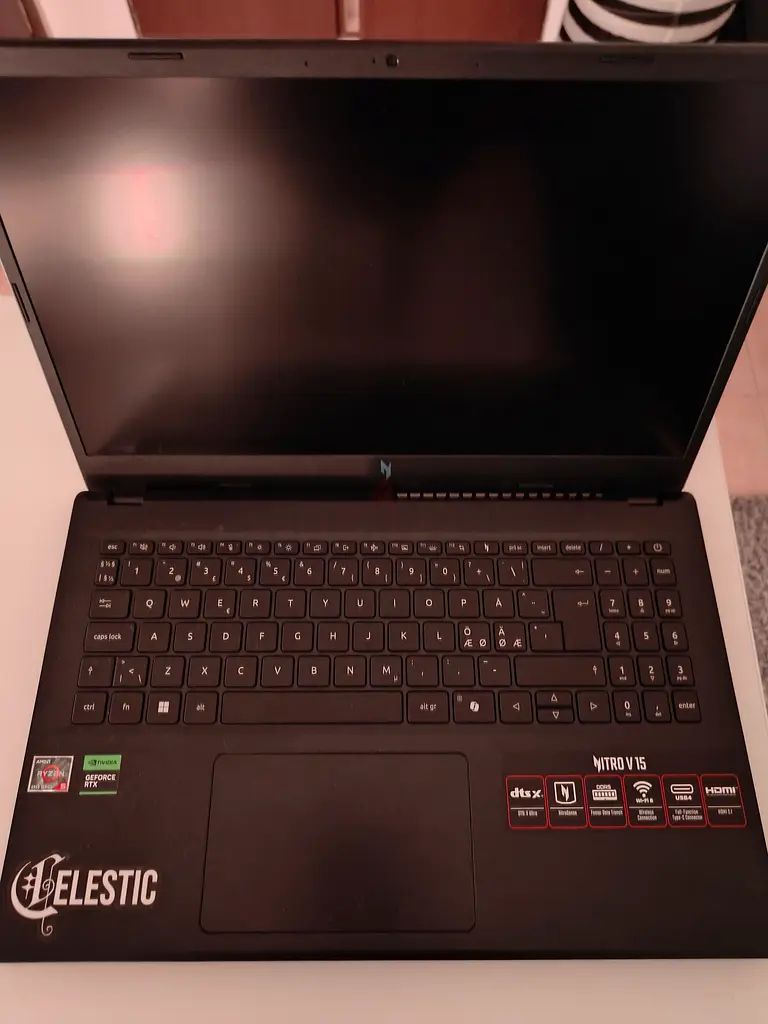
Acer Nitro V15 16GB DDR5
درهم 2,800

تفاصيل السلعة
القرص الصلب
من 500 إلى 749 غيغا بايت
الميزات
كاميرا ويب
دقة العرض
1920 × 1080 بكسل
نوع دقة العرض
Full HD
نوع المعالج
AMD Ryzen 5
العمر
6 - 12 شهر
الحالة
ممتازة من الداخل والخارج
الكفالة
لا
اسم النموذج
Anv15-41
مدى الإستخدام
تم الاستخدام باعتدال
نوع الذاكرة (RAM)
ذاكرة DDR5
سرعة المعالج
4.0 جيجاهرتز فما فوق
نوع العرض
شاشة LCD
عمر البطارية
حتى ٤ ساعات
تقنية الاتصال
واي فاي (WiFi), بلوتوث, معايير USB, إيثرنت
الذاكرة
16 جيجابايت
عدد الأنوية
6
عدد المعالجات
12
نظام التشغيل
ويندوز 11 هوم
حجم الشاشة
15.4"
سعة التخزين
٥١٢ جيجابايت
نوع التخزين
أقراص إن في إم إي إس إس دي
أنظمة التشغيل والبرامج المدعومة
ويندوز سيرفر, أوبونتو, لينكس
منافذ USB
3
السنة
2023
العلامة تجارية
أيسر
تم النشر بتاريخ: 11 مايو 2026
الوصف
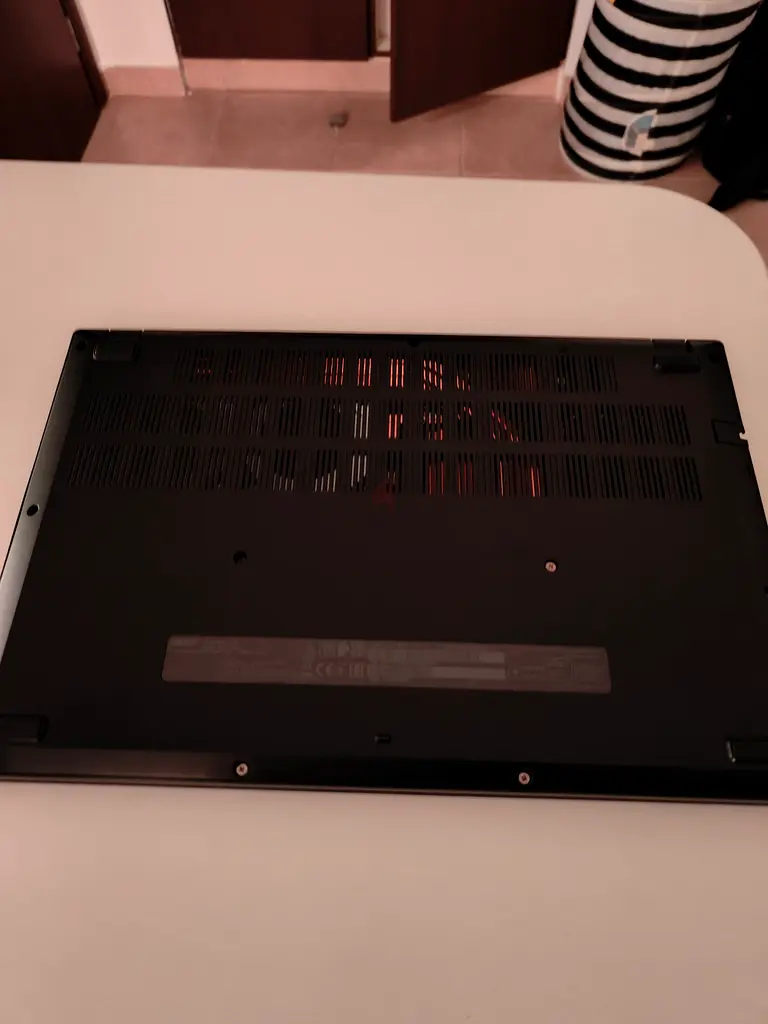
Acer Nitro V15 (Anv15-41) Gaming laptop.
Specs:
CPU: Ryzen 5 6600H
GPU: RTX 2050 4GB VRAM
RAM: 16GB DDR5
Storage: High Speed 512GB SSD
Display: 1080p 165Hz refresh rate
Charger: 135W
Ports:
1x Charging port
1x HDMI
3x USB 3.2
1x High speed USB-C
1x Ethernet
Performance: All testing done on an external monitor with 1080p and 200Hz refresh rate.
Fortnite: 1080p Performance mode all medium averages 200fps in reload & battle royale without problems, reaching around 300 in creative 1v1s.
CS2: Averages 200+ FPS all settings on low for the best possible performance. Occasional dips to around 160-180 depending on the map but besides that very stable.
Red dead redemption 2: Ultra textures, and everything else on medium + NVIDIA DLSS on quality averages 60-70 fps with occasional drops to 50 fps depending on the area which is perfectly fine for a story game where combat and input delay isnt a deal breaker as graphical fidelity is much more important in games like this.
Roblox: 240 fps stable with all max not much to say here
Minecraft: Complementary reimagined shaders all medium + performance mods ~120fps stable without any issues.
GTA V: Medium - High graphics stable 100+ depending on the area as expected, smooth and stable without issues.
Info: Ive had this laptop for less than a year (approx 9 months, bought last year in Finland around the end of July). Works perfectly fine without any issues at all and has served me surprisingly well considering its running a RTX 2050, which to most sounds as a underperformer in 2026, but this machine has genuinely changed my perspective on graphics cards because its pushed through nearly everything ive thrown at it much better than i could've expected.
Always been used with optimized charging (capped at 80%) to reduce battery degrading and properly cooled. Temps for the CPU do rise, aspecially depending on the performance mode set from the Nitrosense app where everything can be controller.
On quiet mode Fans barely spin to completely minimize noise, however i obviously rarely use this as it is not optimal for gaming. Balanced mode is a great middle ground for light gaming and daily usage. Fans can be heard, however the noise remains minimal during normal tasks, but during gaming they ramp up slightly to a still very acceptable level to cool the components down. Performance mode however is a whole different league. It applies premade Overclocks to both the GPU and CPU to further push the system. Fans ramp up to near the maximum under full load to cool the system down as expected.
On performance mode playing demanding games such as RDR2, CS2, Or Minecraft temps for the GPU Hover around 65-70°C which is amazing for a gaming laptop (desktops run much cooler due to multiple fans, but gaming laptops are designed to run hot and 65-70°C is expected from demanding games). The CPU often stays around 75-85°C in CPU intensive games but can rise to 90°C during long gaming sessions on Balanced mode when fans arent fully throttled.
In terms of stability I have nothing bad to say. Ive done multiple CPU benchmarks and GPU Stresstests and everything has been stable with no stutters or dips. Ive included an image of FurrMark GPU stress test being ran for 55 mins straight on performance mode, with the GPU overclocked further ( +1000 Mhz Memory clock, and + 190Mhz Core clock).
If you have any further questions, feel free to ask in DMs.
Specs:
CPU: Ryzen 5 6600H
GPU: RTX 2050 4GB VRAM
RAM: 16GB DDR5
Storage: High Speed 512GB SSD
Display: 1080p 165Hz refresh rate
Charger: 135W
Ports:
1x Charging port
1x HDMI
3x USB 3.2
1x High speed USB-C
1x Ethernet
Performance: All testing done on an external monitor with 1080p and 200Hz refresh rate.
Fortnite: 1080p Performance mode all medium averages 200fps in reload & battle royale without problems, reaching around 300 in creative 1v1s.
CS2: Averages 200+ FPS all settings on low for the best possible performance. Occasional dips to around 160-180 depending on the map but besides that very stable.
Red dead redemption 2: Ultra textures, and everything else on medium + NVIDIA DLSS on quality averages 60-70 fps with occasional drops to 50 fps depending on the area which is perfectly fine for a story game where combat and input delay isnt a deal breaker as graphical fidelity is much more important in games like this.
Roblox: 240 fps stable with all max not much to say here
Minecraft: Complementary reimagined shaders all medium + performance mods ~120fps stable without any issues.
GTA V: Medium - High graphics stable 100+ depending on the area as expected, smooth and stable without issues.
Info: Ive had this laptop for less than a year (approx 9 months, bought last year in Finland around the end of July). Works perfectly fine without any issues at all and has served me surprisingly well considering its running a RTX 2050, which to most sounds as a underperformer in 2026, but this machine has genuinely changed my perspective on graphics cards because its pushed through nearly everything ive thrown at it much better than i could've expected.
Always been used with optimized charging (capped at 80%) to reduce battery degrading and properly cooled. Temps for the CPU do rise, aspecially depending on the performance mode set from the Nitrosense app where everything can be controller.
On quiet mode Fans barely spin to completely minimize noise, however i obviously rarely use this as it is not optimal for gaming. Balanced mode is a great middle ground for light gaming and daily usage. Fans can be heard, however the noise remains minimal during normal tasks, but during gaming they ramp up slightly to a still very acceptable level to cool the components down. Performance mode however is a whole different league. It applies premade Overclocks to both the GPU and CPU to further push the system. Fans ramp up to near the maximum under full load to cool the system down as expected.
On performance mode playing demanding games such as RDR2, CS2, Or Minecraft temps for the GPU Hover around 65-70°C which is amazing for a gaming laptop (desktops run much cooler due to multiple fans, but gaming laptops are designed to run hot and 65-70°C is expected from demanding games). The CPU often stays around 75-85°C in CPU intensive games but can rise to 90°C during long gaming sessions on Balanced mode when fans arent fully throttled.
In terms of stability I have nothing bad to say. Ive done multiple CPU benchmarks and GPU Stresstests and everything has been stable with no stutters or dips. Ive included an image of FurrMark GPU stress test being ran for 55 mins straight on performance mode, with the GPU overclocked further ( +1000 Mhz Memory clock, and + 190Mhz Core clock).
If you have any further questions, feel free to ask in DMs.
منطقة
فلل السدر, (DSO)واحة دبي للسيليكون, دبي, الإمارات

- المحاسبة / المالية
- السيارات
- الصحة والجمال
- التنظيف /التدبير المنزلي
- الإنشاءات
- شيف / طباخ
- خدمة العملاء / مركز الإتصال
- إدارة وتحليل البيانات
- التصميم
- سائق / توصيل
- تعليم
- هندسة
- إدارة الفعاليات والمناسبات
- عامل / فنّي
- الموارد البشرية - الإدارة
- تكنولوجيا المعلومات
- خدمات قانونية
- خدمات لوجستية و توزيع
- التصنيع / التخزين
- كابتن بحري / بحار
- التسويق/الإعلان
- الاعلام,الفنون والترفيه
- الطب / الرعاية الصحية
- عقارات
- تشغيل المطاعم
- المبيعات / تطوير الأعمال
- السكرتارية / المكتب الأمامي
- الأمن /الحماية
- رياضة و لياقة
- السفروالضيافة
- أخرى
- يبحث عن عمل
English